On this page
Who teaches what decides what each teacher sees. A teacher can only post homework for the classes and subjects set here, and their My day panel is built from it. The principal sets this in Academics > Teachers.
Before you start
- A current school year must be set (Settings > Academics).
- Teachers must have a staff login. See Staff records.
Steps
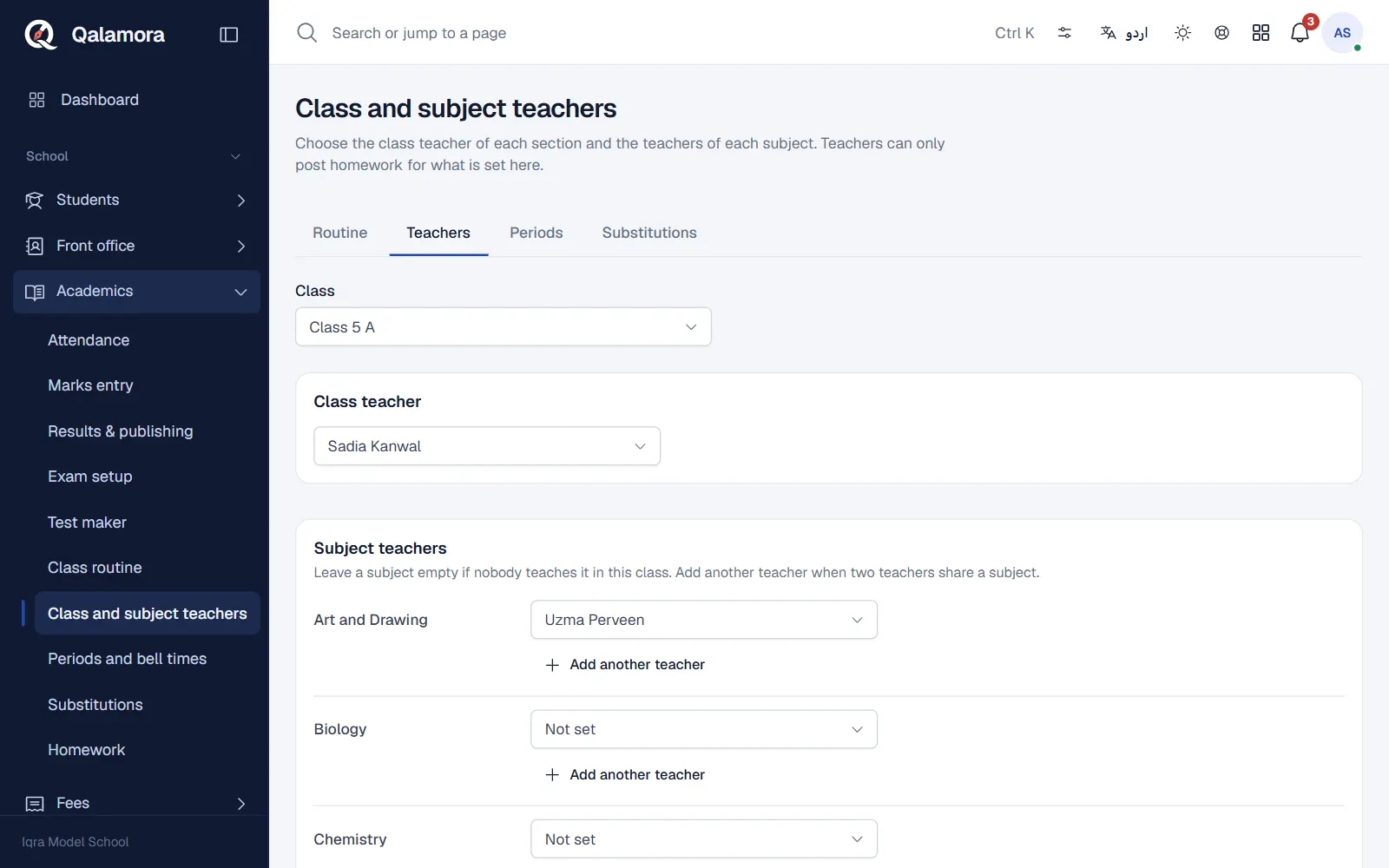
- Open Academics > Teachers. The page is Class and subject teachers.
- Choose a class. Each section of the class is shown.
- Set the class teacher. Pick the Class teacher of each section.
- Set the subject teachers. For every subject choose the teacher. Leave a subject empty if nobody teaches it in this class. Click Add another teacher when two teachers share a subject.
- Click Save.
What it changes
- Teachers see only their own classes on My day, in homework and in marks entry.
- The class routine warns when a period is given to a teacher who is not assigned to that subject in that class.
Tip
Set teachers before the routine. The routine then suggests the right teacher for each subject.
Related
Was this page helpful?
Good to hear. Your answer is not sent or saved.
Sorry about that. Tell us what was missing and we will improve this guide. Tell us