Every person who signs in has one or more roles. A role decides what they can see and do. Qalamora comes with built-in roles: Owner, Principal, Accountant, Teacher, Front desk, Parent and Student. The owner adds users and changes roles; the principal can view them.
Add a staff login
- Open Users. In the side menu, open Administration > Users and click Add user.
- Enter the person's details. Type the Full name, Email and Mobile number.
- Choose the role. Tick one or more Roles, for example Teacher.
- Set a password. Type a starting Password of at least 10 characters with letters and numbers.
- Save. They can sign in as soon as you save.
Roles and what they do
| Role | Normally does |
|---|---|
| Owner | Everything, including billing and security settings. The owner always has every permission. |
| Principal | Oversees academics and staff, can review records. |
| Accountant | Fees, collections, expenses and payroll. |
| Teacher | Attendance, homework, marks and question papers. |
| Front desk | Admission enquiries, visitors and calls. |
| Parent | Their own children's fees, attendance and results. |
| Student | Their own timetable, homework and results. |
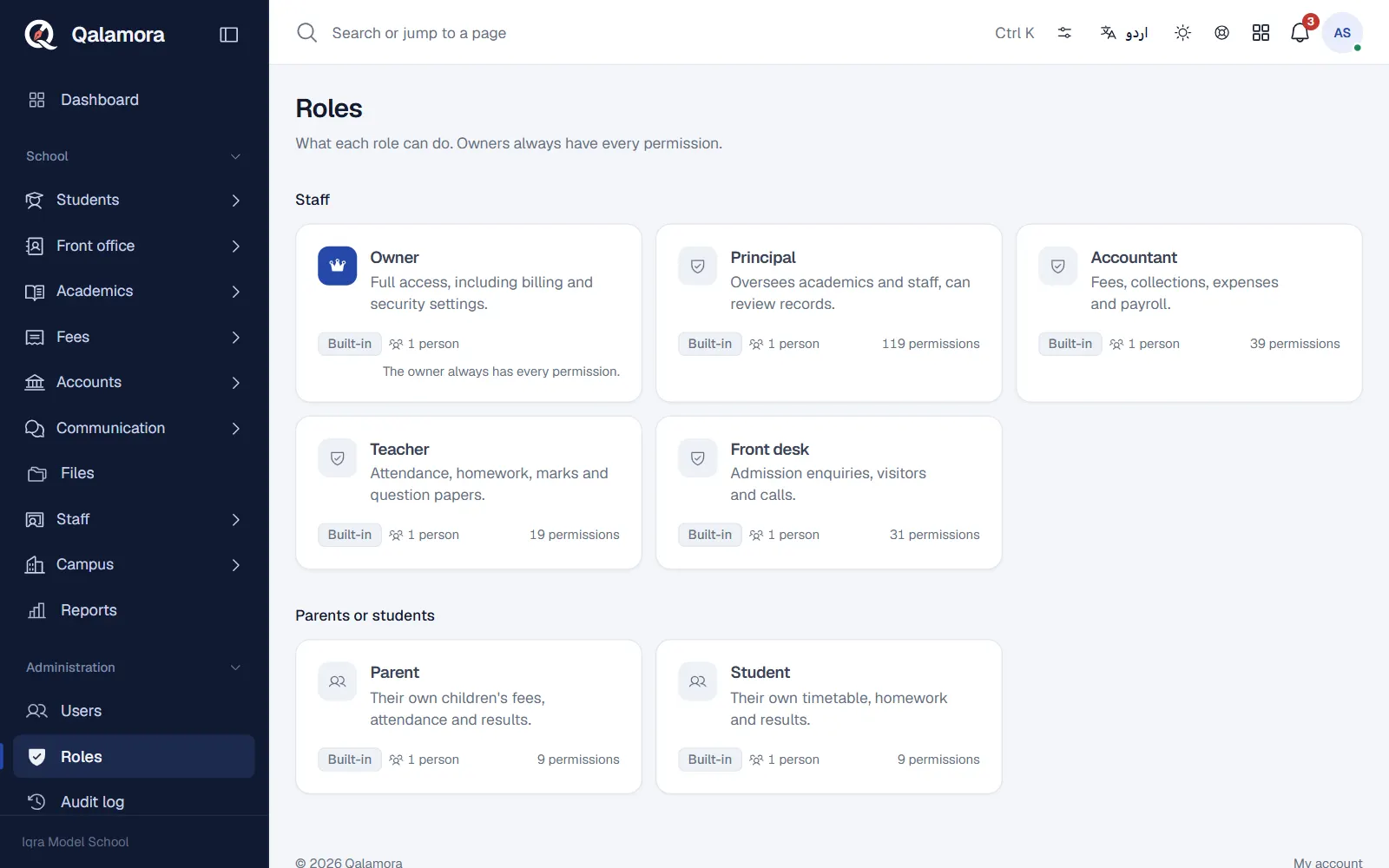
Change what a role can do
- Open Administration > Roles and click the role.
- Tick or untick permissions. Use Find a permission to search, or Select all in a group.
- Click Review and save. Qalamora shows how many permissions the role gets and loses. The change applies at once to everyone with this role.
To make your own role, click New role, give it a Role name, choose Who uses this role (Staff or Parents or students) and start from an empty role or a copy of an existing one. Parent and student roles can only have portal permissions, so they only ever see their own family's data.
Reset a password
On Administration > Users, open the person and click Reset password. Choose how to hand over the new temporary password: Show it on this screen once, Send it by SMS or Print a login slip (A4 sheet or 80 mm receipt printer). The old password stops working and the person is signed out everywhere. They choose their own password at the next sign-in.
نوٹ
Only owners can change the owner role or owner accounts. Nobody can give a role more than they can do themselves, or change their own roles.
Related
کیا یہ صفحہ مفید تھا؟
سن کر خوشی ہوئی۔ آپ کا جواب کہیں بھیجا یا محفوظ نہیں کیا جاتا۔
معذرت۔ ہمیں بتائیں کیا کمی تھی، ہم یہ رہنمائی بہتر کریں گے۔ ہمیں بتائیں