When a teacher saves today's register, parents of absent children can be told straight away, without the office making calls. The principal also gets a reminder when some classes have not marked attendance by late morning. These settings are changed by the principal (permission to change attendance settings).
Steps
- Open the attendance settings. Go to Settings and choose Attendance.
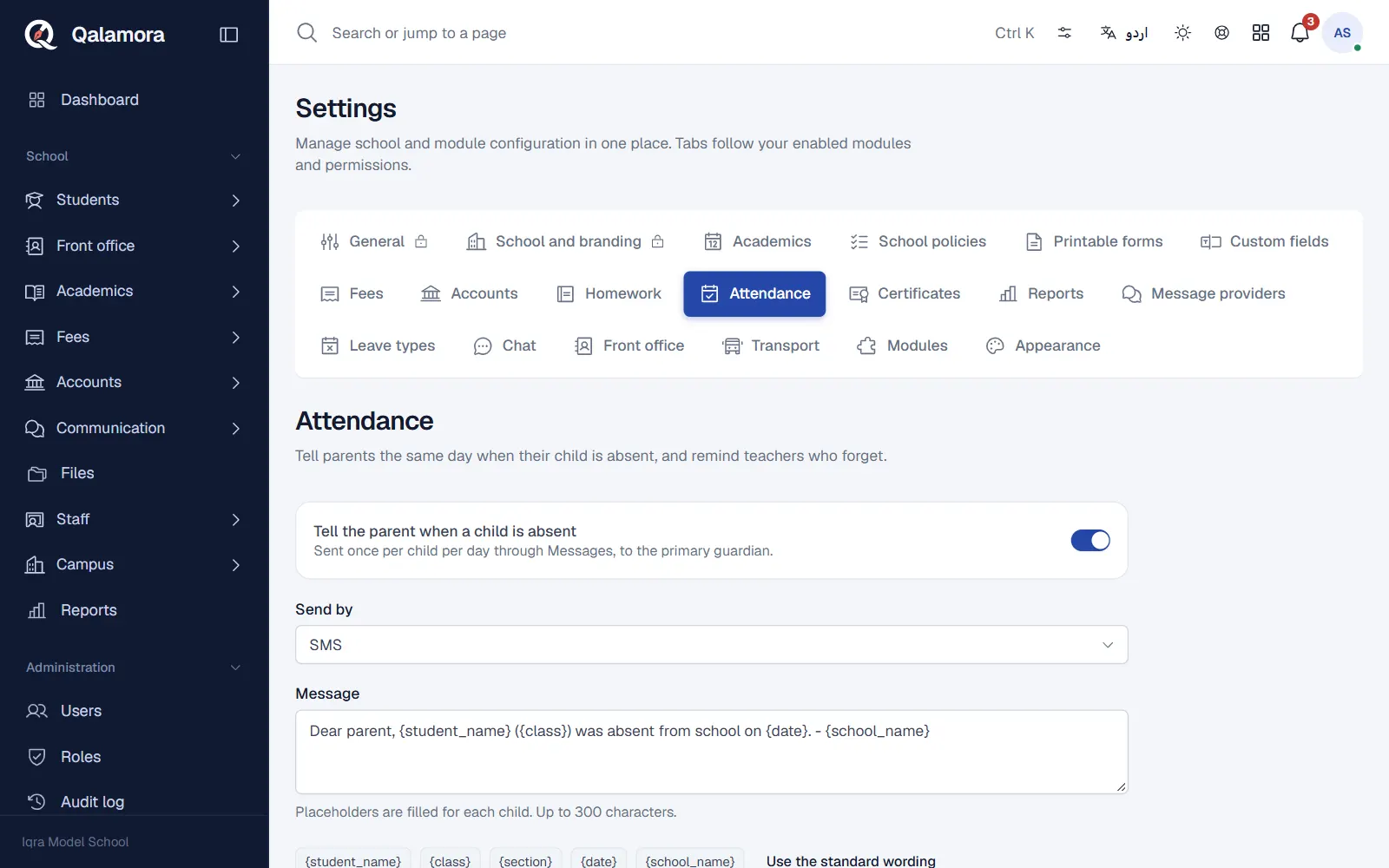
- Turn on parent alerts. Switch on Tell the parent when a child is absent. One message is sent per child per day, to the primary guardian.
- Choose how to send. In Send by pick School default from Messages, In-app notification only (free), SMS or WhatsApp.
- Check the message. Edit the text under Message (up to 300 characters). Click a placeholder button to insert the student name, class, section, date or school name, or press Use the standard wording.
- Turn on reminders. Switch on Remind about classes not marked.
- Save. Press Save settings.
What parents receive
- A message: sent only for today's register, when alerts are on and the Messages module is switched on for your school. SMS and WhatsApp use your school's message settings and balance. A correction to an older date never sends a message.
- An in-app notice: parents who use a parent login also see (name) was absent today in the bell of their app, and the day shows as absent in their child's attendance calendar.
The standard message reads: Dear parent, {student_name} ({class}) was absent from school on {date}. - {school_name}. The placeholders are filled in for each child.
Note
A child gets at most one absence message per day, even if the register is saved again.
Attendance not marked reminder
At 11:00 on each school day, if some classes with students still have no register, the principal gets an Attendance not marked notice in the bell with the number of classes. It comes once per day and never on weekly off days or holidays. The dashboard also lists the classes not marked yet while the day goes on.
Holidays and off days
On the same settings page you can add Holidays (one date or a range). Weekly off days come from the general settings. Attendance cannot be marked on these days and no reminders are sent.
Related
Was this page helpful?
Good to hear. Your answer is not sent or saved.
Sorry about that. Tell us what was missing and we will improve this guide. Tell us