اس صفحے پر
Accounts is a simple cash book for the school office: where money is kept, what came in and what went out. Before the first voucher, tell Qalamora where your money is. The accountant or principal does this in Accounts > Accounts setup.
Steps
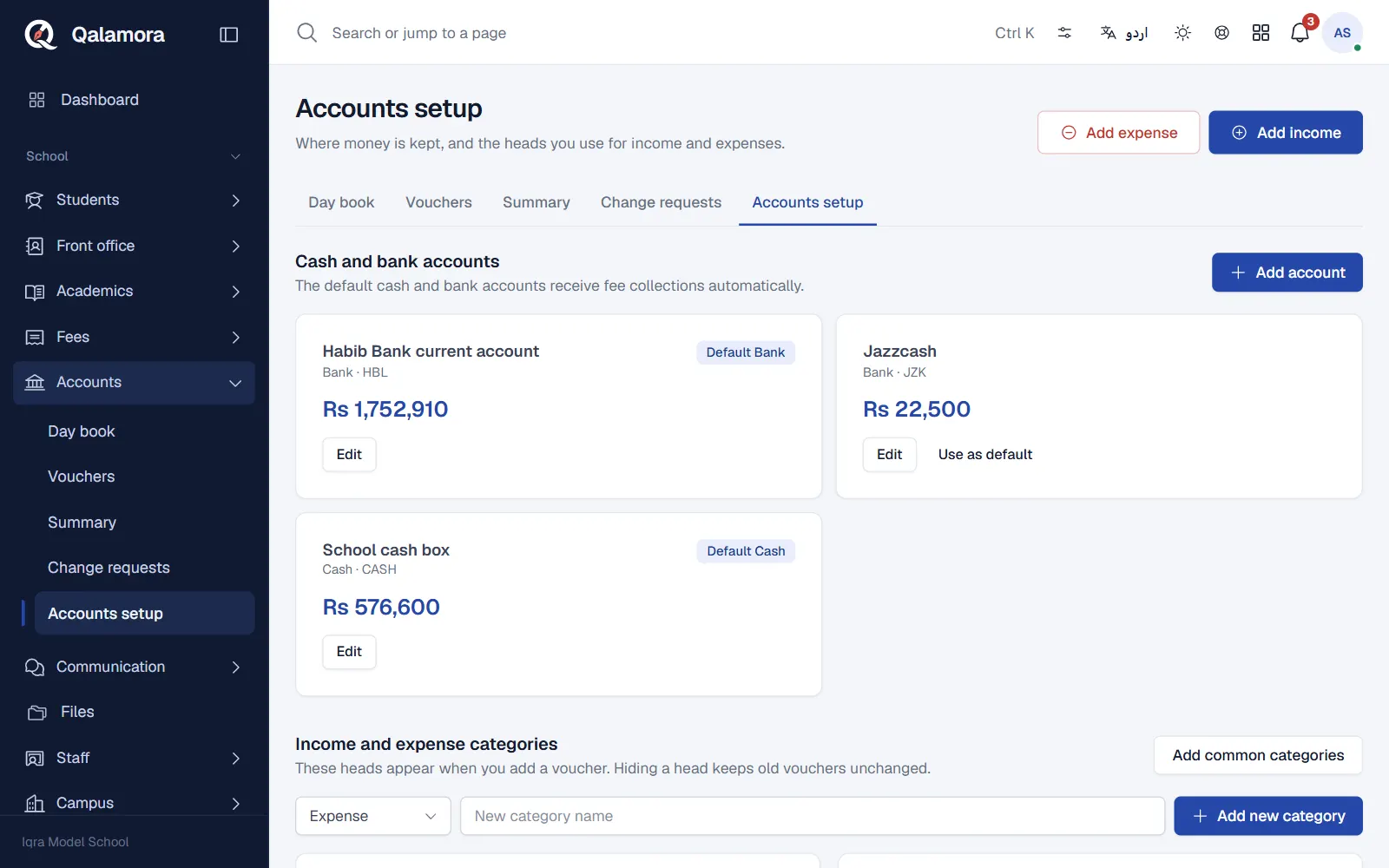
- Open Accounts > Accounts setup. The first section is Cash and bank accounts.
- Add your cash account. Click Add account. Enter the Account name (for example Office cash), a short Code such as CASH, the Account type, the Currency, the Opening balance and the Opening date.
- Add each bank account. Repeat for every bank account the school uses.
- Choose the defaults. Tick Use as default on one cash account and one bank account. The default accounts receive fee collections automatically.
- Add categories. Under Income and expense categories click Add common categories, then edit or hide any you do not use, or add your own.
- Pick the voucher paper. Under Voucher paper choose A4 with office and payee copy, A5, A4 single, or a thermal roll.
Good to know
- The account type, currency and opening balance are locked once anything is posted to the account, so check them before the first voucher. The name and active status can still change.
- Hiding a category keeps old vouchers unchanged.
- Fee collections land in the default cash or bank account by payment method. If you use more than one currency or special mappings, open Advanced: fee reconciliation and choose the account for each fee payment method, then click Reconcile fee postings. Each fee collection is imported only once.
Related
کیا یہ صفحہ مفید تھا؟
سن کر خوشی ہوئی۔ آپ کا جواب کہیں بھیجا یا محفوظ نہیں کیا جاتا۔
معذرت۔ ہمیں بتائیں کیا کمی تھی، ہم یہ رہنمائی بہتر کریں گے۔ ہمیں بتائیں