اس صفحے پر
A concession lowers the monthly fee of one student, for example a staff child or a scholarship. A sibling discount is a school rule for the second and later children of the same family. Both are set in Fees > Fee setup.
Give a student a concession
- Open Fees > Fee setup > Concessions. The list shows every student who has a concession.
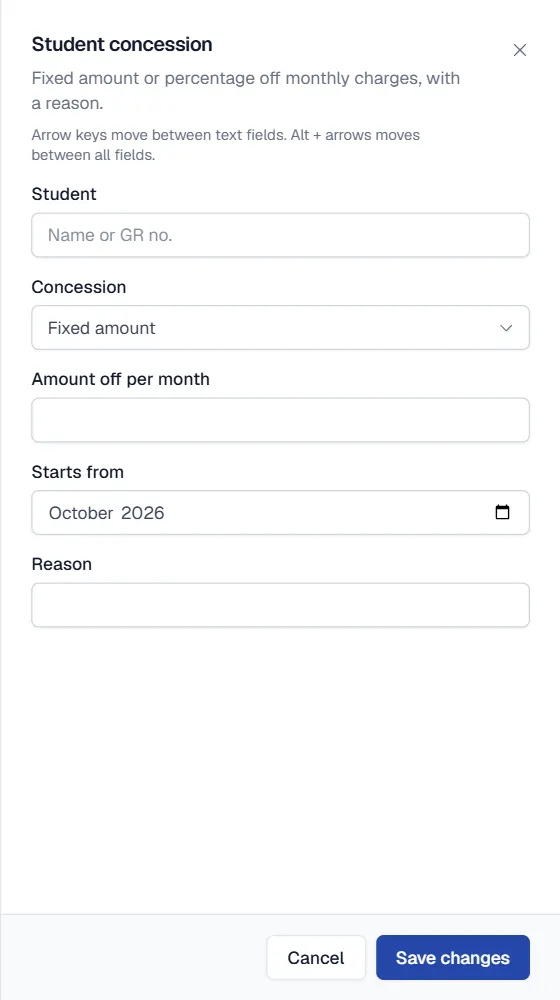
- Click Add concession. Search the student by name or GR number in Student.
- Choose the kind. In Concession pick Fixed amount (enter the Amount off per month) or Percentage (enter the Percent off, for example 25).
- Write the reason. The Reason is kept with the concession so anyone can see why it was given.
- Save. The concession applies to monthly charges on the next challans you generate.
Change or end a concession
Open the student again with Add concession and enter the new value, or choose End concession. Qalamora adds a new line each time instead of overwriting the old one, so the history stays. Challans that were already made keep their amounts. To correct an issued challan, use a challan change request.
Sibling discount for the whole school
- Open Fees > Fee setup > Rules and printing.
- Under Sibling discount choose Percentage or Fixed amount and enter the value.
- Save. The discount is applied on monthly charges for the second and later children who share the same primary guardian.
نوٹ
Percentage concessions and the sibling discount need a rounding rule. Set Rounding for percentages (round down, nearest or round up) in Rules and printing first.
مشورہ
Siblings are matched by their primary guardian. Make sure brothers and sisters are linked to the same guardian record on their profiles.
Related
کیا یہ صفحہ مفید تھا؟
سن کر خوشی ہوئی۔ آپ کا جواب کہیں بھیجا یا محفوظ نہیں کیا جاتا۔
معذرت۔ ہمیں بتائیں کیا کمی تھی، ہم یہ رہنمائی بہتر کریں گے۔ ہمیں بتائیں