اس صفحے پر
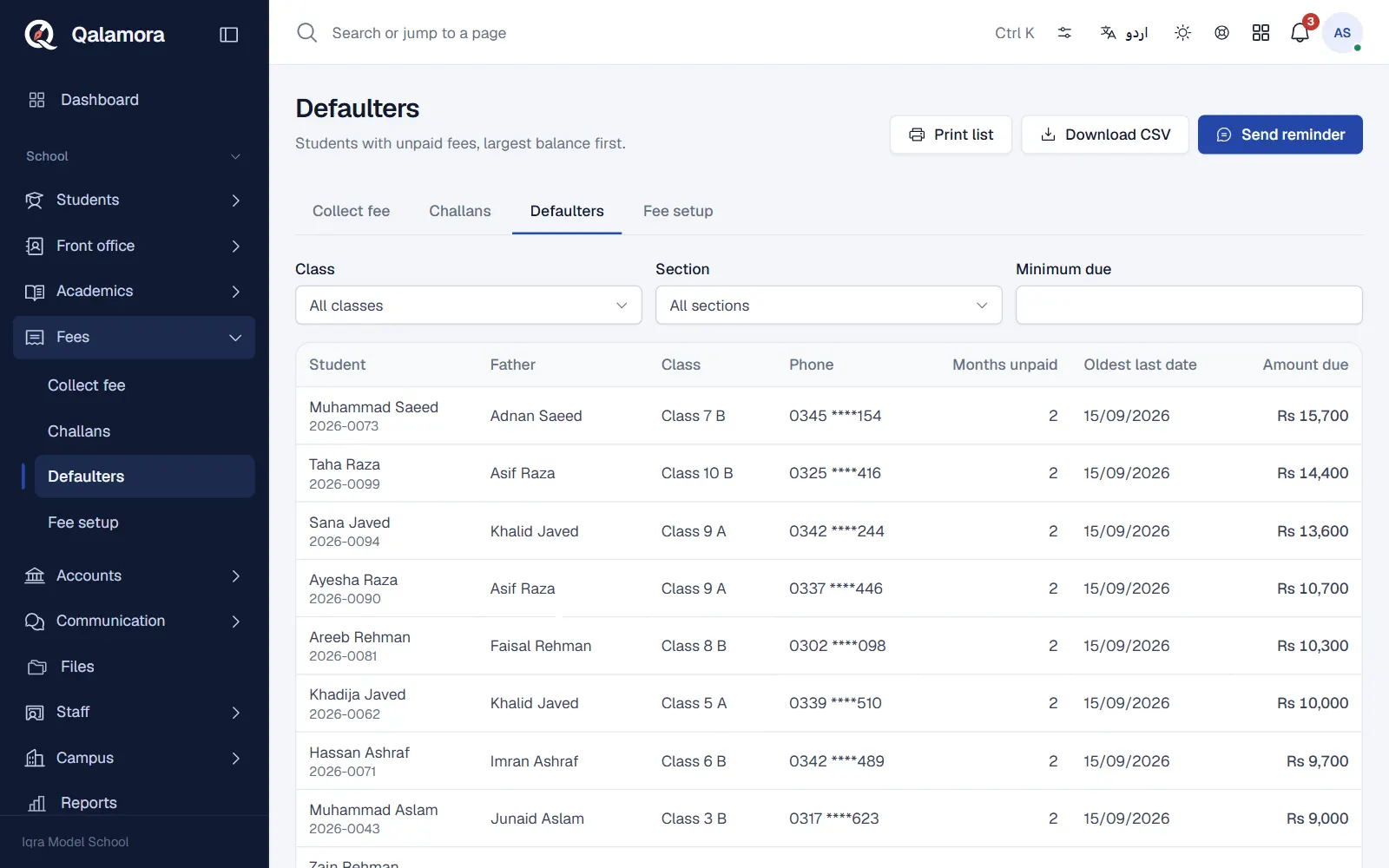
The Defaulters tab lists students with unpaid fees, with the largest balance first. From the same screen you can print the list for the principal or send a reminder to the families.
Steps
- Open Fees > Defaulters. Each row shows the student, father, GR number, class, phone, Months unpaid, Amount due and the Oldest last date.
- Narrow the list. Filter by class and section, or enter a Minimum due to see only bigger balances.
- Print or download. Click Print list for a printout, or Download CSV to open it in Excel.
- Send a reminder. Click Send reminder. The message goes to the primary guardian of the students in the list, through Messages.
- Choose how it is sent. In Send by pick In-app first, SMS if no app login or In-app only (free).
- Check the message. The default text fills in the amount due, the student's name and the due date for each family. Change it if you like, then click Send.
What happens next
Reminders are queued and sent in the background. If no guardian of the selected students has a phone number or a parent login, nothing is sent and Qalamora tells you so.
مشورہ
In-app reminders cost nothing. Give parents their own login and most reminders will not need SMS at all. See Save SMS costs with in-app notifications.
نوٹ
SMS needs an SMS provider connected in Messages. Messages are charged by your provider at their rates.
Related
کیا یہ صفحہ مفید تھا؟
سن کر خوشی ہوئی۔ آپ کا جواب کہیں بھیجا یا محفوظ نہیں کیا جاتا۔
معذرت۔ ہمیں بتائیں کیا کمی تھی، ہم یہ رہنمائی بہتر کریں گے۔ ہمیں بتائیں