Before you can make challans, Qalamora needs to know what your school charges. You do this once in Fees > Fee setup: first the fee heads (the names of your charges), then one fee plan per class. The principal or accountant normally does this.
Before you start
- Your classes must already exist. If Fee setup says "Add classes in Settings first.", add them under Settings.
- Students should be admitted into their classes, so the plan can be applied to them.
Steps
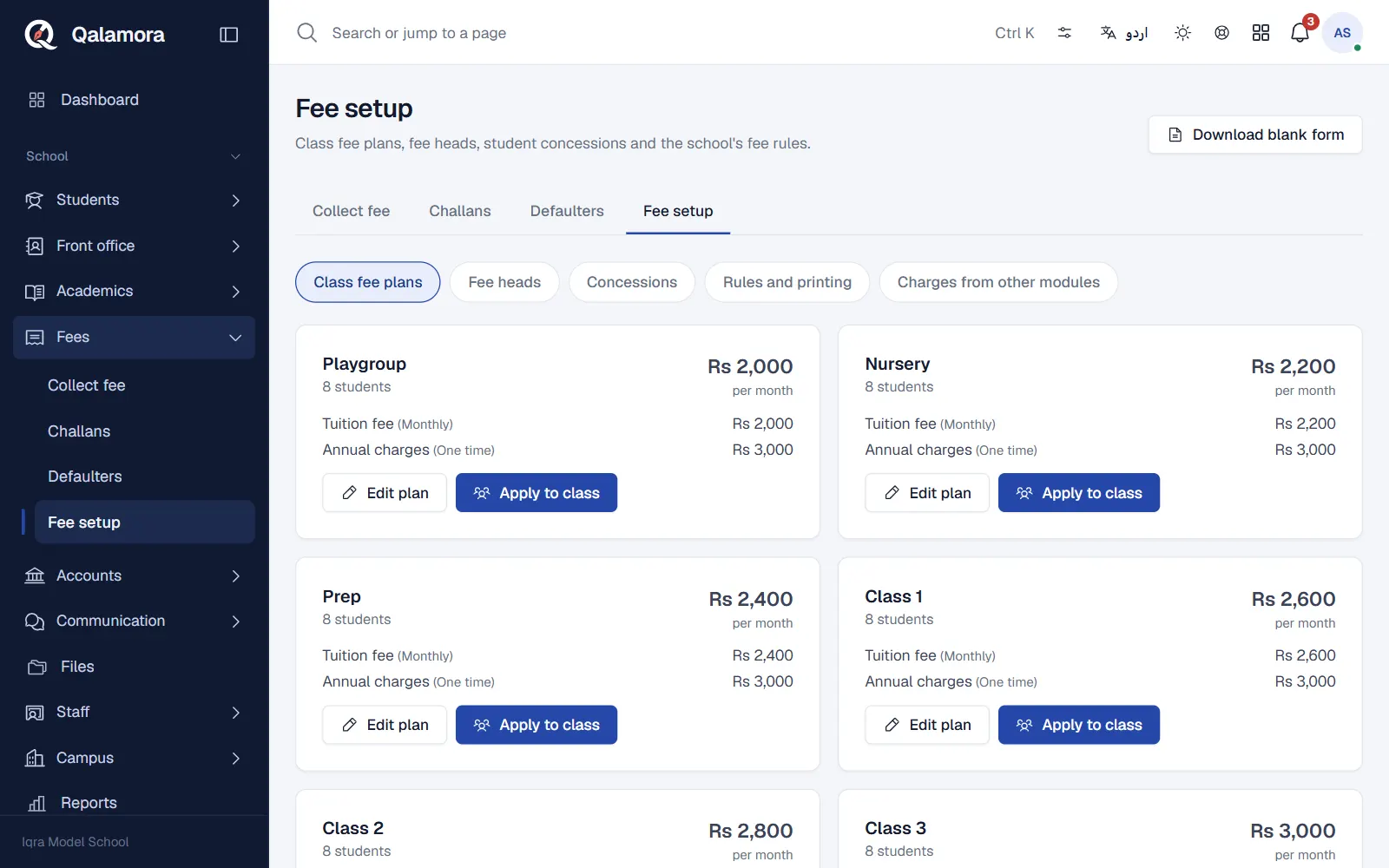
- Open Fees > Fee setup. The page has five sections at the top: Class fee plans, Fee heads, Concessions, Rules and printing and Charges from other modules.
- Add your fee heads. Click Fee heads, then Add fee head. Enter the Fee head name (for example Tuition fee), a short Code, the Currency and the usual Amount, keep Active on and click Save changes. Repeat for Admission fee, Annual charges, Exam fee and so on.
- Create a plan for a class. Click Class fee plans. Each class shows as a card with its student count. Click Create plan on a class.
- Add lines to the plan. For each line choose the Fee head, set How often to Monthly or One time, and check the Amount. Use Add fee head for more lines. The Monthly total is shown under the lines. Click Save changes.
- Apply the plan to the class. Click Apply to class, choose the month in Starts from and click Check students. Qalamora shows how many students will be on the plan, and how many older plans will end. Click Apply plan to confirm.
How plans work
- Monthly heads are charged on every month's challan. One time heads (such as admission or annual charges) are charged only once per student on the plan.
- Applying a plan ends the student's other plans for the session, so nobody is billed twice.
- Large classes are handled in reviewed runs of 200 students at a time, automatically.
- You can change a plan later with Edit plan. Challans already made keep the amounts they were made with.
Change many fee heads at once
In Fee heads, tick the heads you want, click Edit selected and use Set amount for selected heads. Click Review to see every change before you save. The selected heads must use one currency.
مشورہ
New students admitted later in the year are not put on a plan by themselves. Open the class card and click Apply to class again: students already on the plan are simply kept on it.
نوٹ
Only staff with fee setup permissions see this page. Rules and printing and Charges from other modules are for the principal or owner by default.
Related
کیا یہ صفحہ مفید تھا؟
سن کر خوشی ہوئی۔ آپ کا جواب کہیں بھیجا یا محفوظ نہیں کیا جاتا۔
معذرت۔ ہمیں بتائیں کیا کمی تھی، ہم یہ رہنمائی بہتر کریں گے۔ ہمیں بتائیں