On this page
Admission enquiries keep track of every parent who calls or walks in asking about admission, and what happened next. When the child is admitted, the enquiry fills the admission form for you. The front desk and principal use this by default.
Steps
- Open Front office > Admission enquiries. You see every enquiry with its status. Use the search to find a name or phone number.
- Click New enquiry. Enter the Child name and Phone. Add the Father name, Other phone, Class sought, How they heard of us, Assigned to, Next follow-up date and Notes if you have them.
- Save. The enquiry starts as New.
- Log each follow-up. Open the enquiry and click Log follow-up. Choose How did you reach them? (phone call, visit, message, other), write What was said, set the next follow-up date (leave it empty if nothing more is planned) and, if you like, change the status.
- Convert to admission. When the parent decides to join, open the enquiry and click Convert to admission. The admission form opens with the child's name, father's name, phone and class already filled in. Complete and save it; the enquiry becomes Admitted and is linked to the new student.
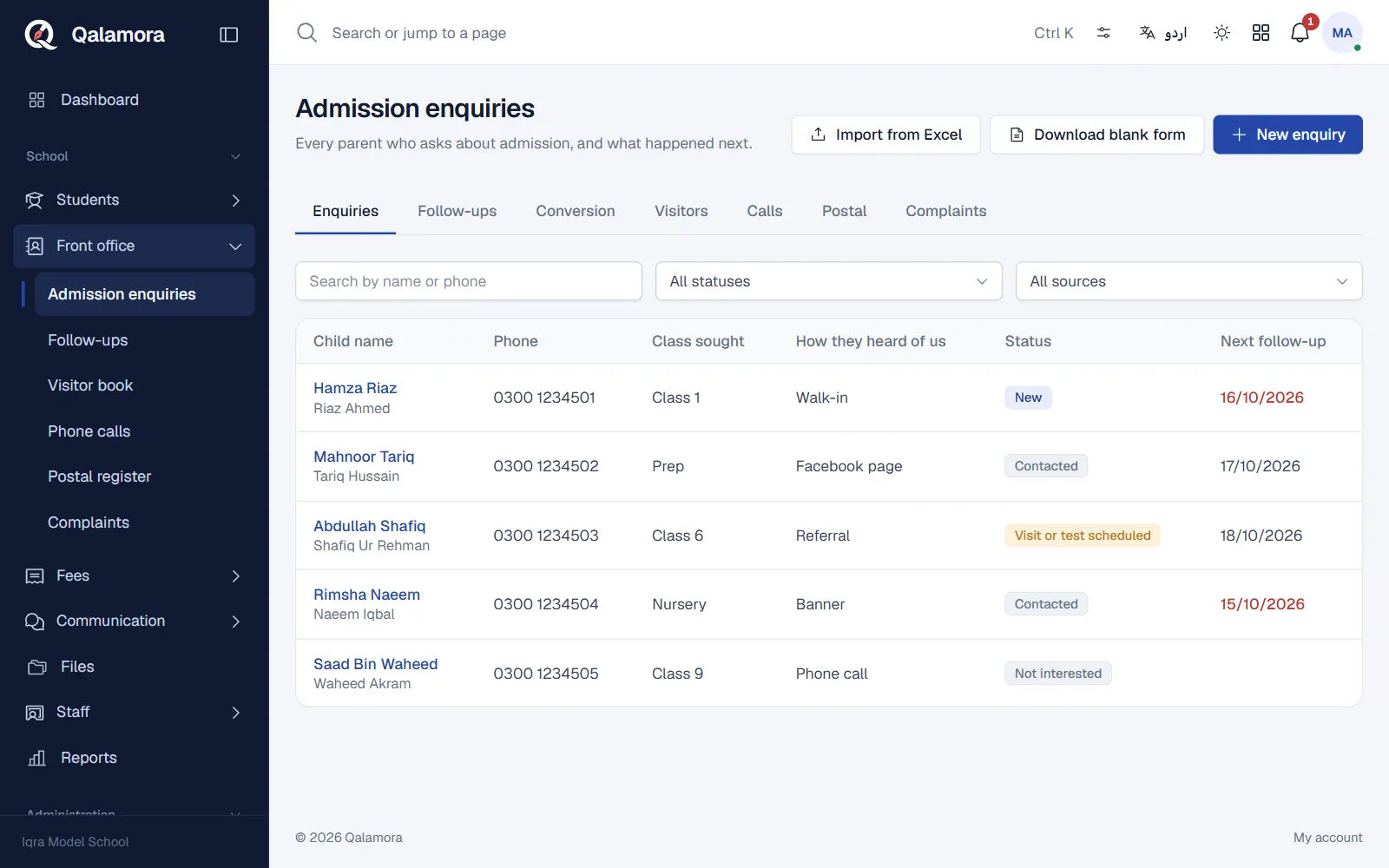
Statuses
New, Contacted, Visit or test scheduled, Admitted, Not interested and Lost. Keep the status up to date so the conversion figures stay correct.
Who to call today
Front office > Follow-ups lists Due today and Overdue follow-ups with a Call button, so the desk can work down the list each morning.
Send a message from an enquiry
If the Messages module is on and you are allowed to send messages, an enquiry has a Send message button for an SMS or WhatsApp to that parent's number.
Import enquiries from Excel
If you kept enquiries in a register or sheet, click Import from Excel. The sheet needs a Name and a Phone column; Class, Father, Source, Notes and Next follow-up are optional. You see how many rows are ready and which are skipped before you click Add N enquiries.
Conversion figures
The Conversion tab shows enquiries received in the current session: total, open, admitted, lost, the conversion rate, and the breakdown By source and By class. It shows which advertising actually brings admissions.
Tip
Add your usual sources (banner, Facebook, referral, walk-in) in Settings > Front office with Add common defaults. The forms then offer them as choices, and you can still type something else.
Related
Was this page helpful?
Good to hear. Your answer is not sent or saved.
Sorry about that. Tell us what was missing and we will improve this guide. Tell us