Students, attendance, fees and exams all build on your academic setup: the session (school year), classes, sections and subjects. Do this once before admitting students. The owner and the principal can change it; other staff can only view it.
Before you start
- Know your school year dates, for example 1 April 2026 to 31 March 2027.
- Have a list of your classes in order (Playgroup, Nursery, Prep, Class 1 and so on) and the sections in each.
- List the subjects you teach, in English or Urdu.
Steps
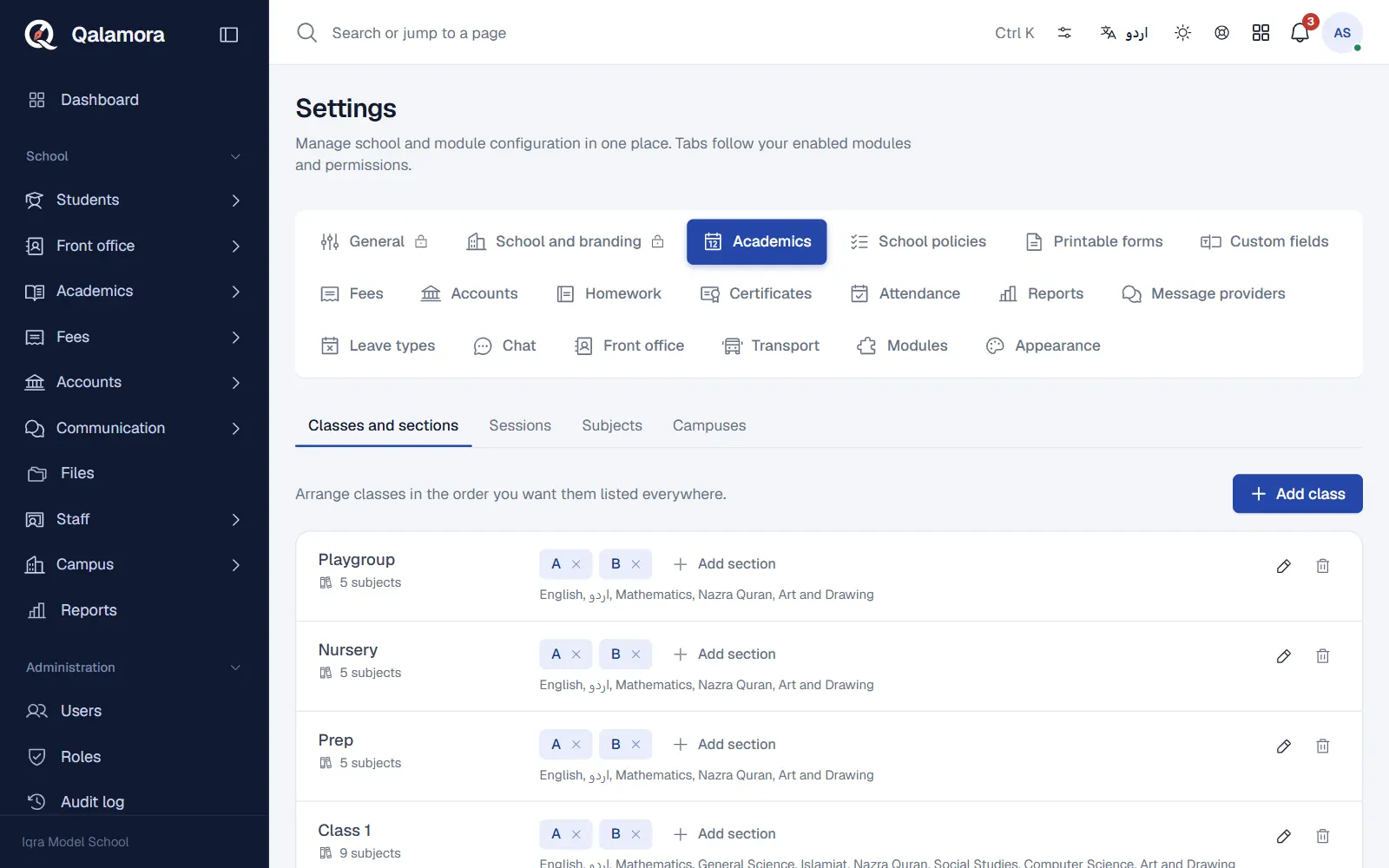
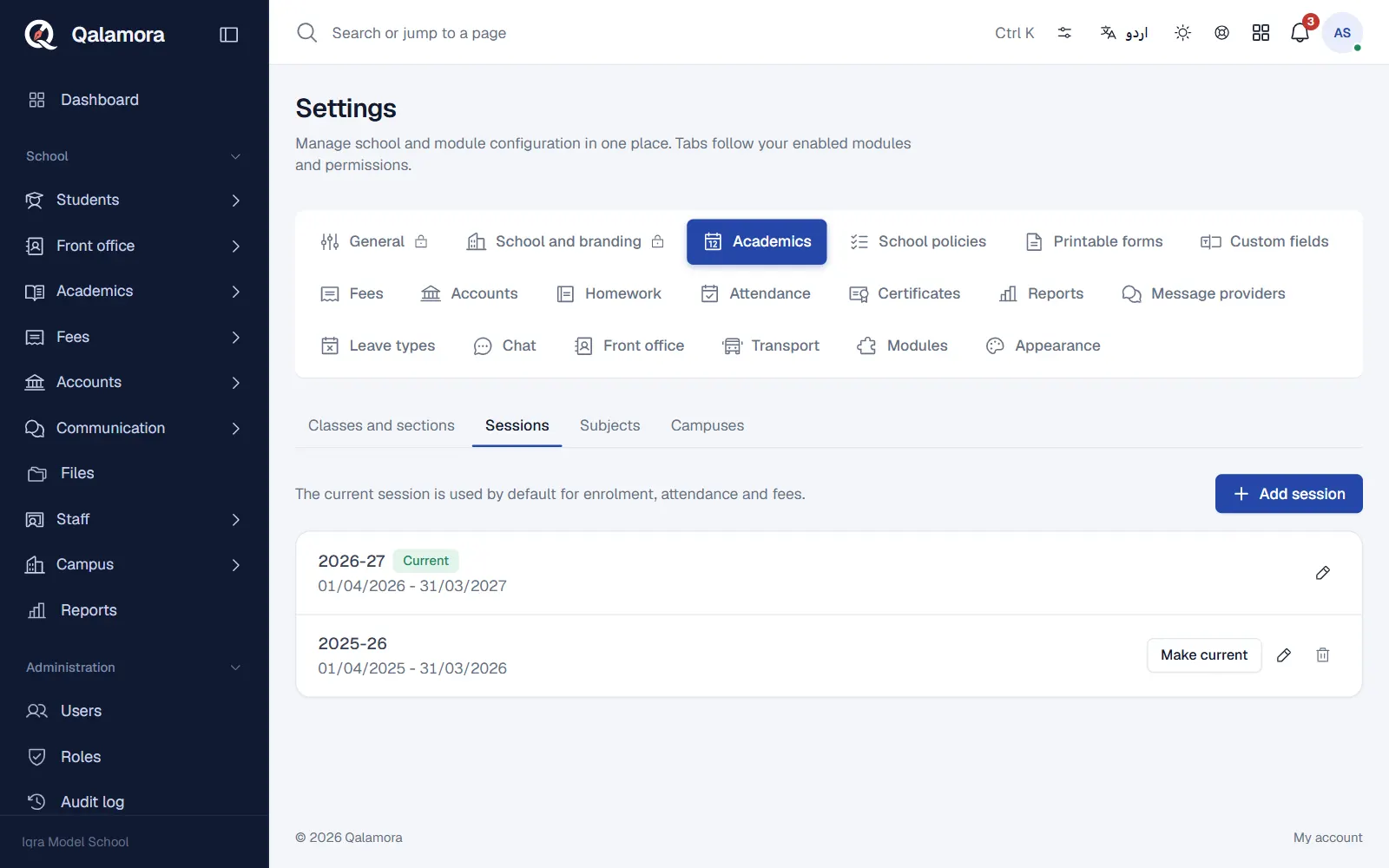
- Open the academic setup. Go to Settings > Academics. The page has four tabs: Classes and sections, Sessions, Subjects and Campuses.
- Add the session. Open Sessions and click Add session. Type the Session name (for example 2026-27), the Starts on and Ends on dates, and save. The first session you add becomes the current one.
- Add the subjects. Open Subjects and click Add subject. Enter the Subject name, an optional Code (for example MATH) and the Type: Core, Elective or Co-curricular. Subjects are shared by all campuses.
- Add the classes. Open Classes and sections and click Add class. Type the Class name as your school writes it (for example Class 7, Prep or Hifz A), an optional Code and the List order. Tick the Subjects taught in that class and click Add class.
- Add the sections. Next to each class, click Add section, type the section name (for example A) and press Add section. Students are enrolled into sections, so every class needs at least one.
The current session
The current session is used by default for enrolment, attendance and fees. When the new school year starts, add the next session and click Make current next to it. Older sessions stay, so last year's records are not lost.
More than one campus
Every school starts with one campus. If you run branches, open Campuses and click Add campus to add each branch with its city, address and phone. Each campus has its own classes: once there are two or more campuses, the Classes and sections tab shows a campus selector, and new classes ask which campus they belong to. The number of campuses you can add depends on your plan.
نوٹ
A class can only be deleted when it has no sections. Deleting a subject removes it from every class that teaches it.
مشورہ
Set the List order so classes appear from youngest to oldest. Every class list, challan run and report follows this order.
Related
کیا یہ صفحہ مفید تھا؟
سن کر خوشی ہوئی۔ آپ کا جواب کہیں بھیجا یا محفوظ نہیں کیا جاتا۔
معذرت۔ ہمیں بتائیں کیا کمی تھی، ہم یہ رہنمائی بہتر کریں گے۔ ہمیں بتائیں