At the end of the year each class moves into the next session. In Qalamora you promote a class (or one section) at a time, and decide for each student whether they move up, stay, leave or pass out. Nothing is overwritten: the old class stays in each student's history.
Before you start
Create the new session and its classes and sections first. See Set up sessions, classes and subjects.
Steps
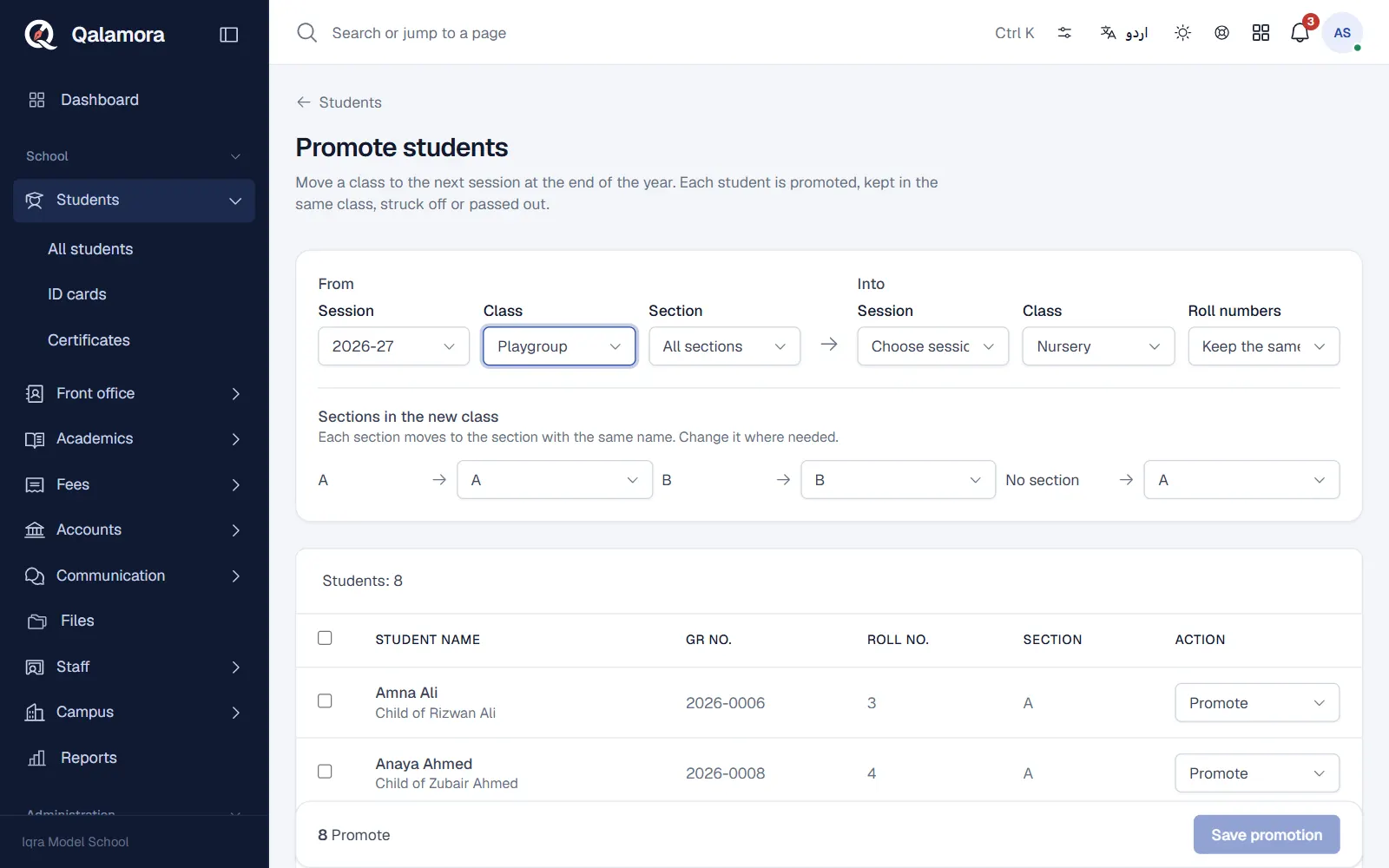
- Open Students > Promote. The page is Promote students.
- Choose From and Into. Under Promotion settings pick the class (and section) you are promoting From, and the Session and class Into. For the last class Qalamora suggests passing students out.
- Choose roll numbers. Keep the same, Number again by name or Number again by GR no.
- Map the sections. Each section moves to the section with the same name in the new class. Change it where needed.
- Set each student's action. Each row shows the student and, if the Examination module is on, their Result. Choose Promote, Keep in class, Leave school or Pass out. Promote all passed sets the action from yearly results in one click.
- Click Save promotion and confirm. The students get their places in the new session.
Leavers with unpaid fees
If students marked Leave school still owe fees, Qalamora shows the amount and asks you to confirm that they may be struck off with dues outstanding.
Undo a promotion
Under Recent promotions click Undo on a promotion. Students go back to their old class and leavers become active again. Undo is refused once attendance, marks or fees are recorded in the new session.
Tip
Large classes show the first 500 students only. Promote one section at a time.
Related
Was this page helpful?
Good to hear. Your answer is not sent or saved.
Sorry about that. Tell us what was missing and we will improve this guide. Tell us